
What formatting a storage access does
Formatting resets the storage space while keeping its identifier, subscription and expiry date.
Mis à jour le 29 October 2026
What gets erased
Formatting deletes the files, vaults and incremental backups associated with this access. It also resets the CIFS, WebDAV, iSCSI, vault and backup options. You will need to configure them again.
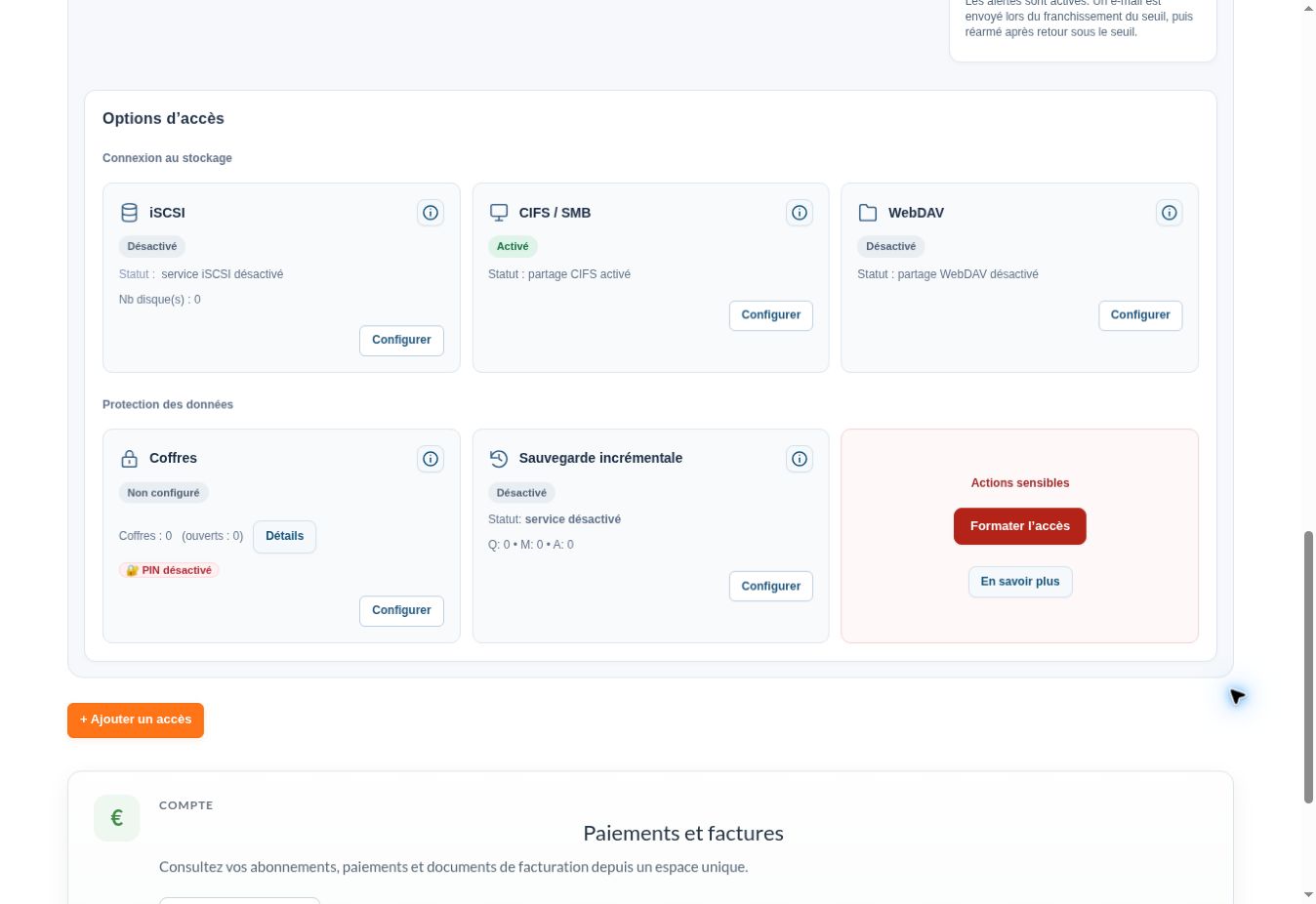
Prepare for a reset
- Check the exact identifier of the storage access and export the data you want to keep.
- Stop any tasks or connections on your devices that could continue writing data.
- Open the access details in Full view. Under “Sensitive actions”, select “Format storage access”. Read the entire confirmation dialog and check the identifier.
- Confirm only if you intend to start again with an empty storage space. Track progress, then reconfigure the options you need.
How formatting differs from cancellation
Formatting keeps the subscription active. To end a service, use its cancellation process.
What to expect
When formatting is complete, the storage space is empty and its options need to be set up again. It keeps its identifier, subscription and expiry date.
Need a hand?
Tell us which storage account or service is affected and what message you see. Our team will help.
Sign in to contact support