
My access — using Full view
Access all configuration and data protection controls.
Mis à jour le 29 October 2026
Steps
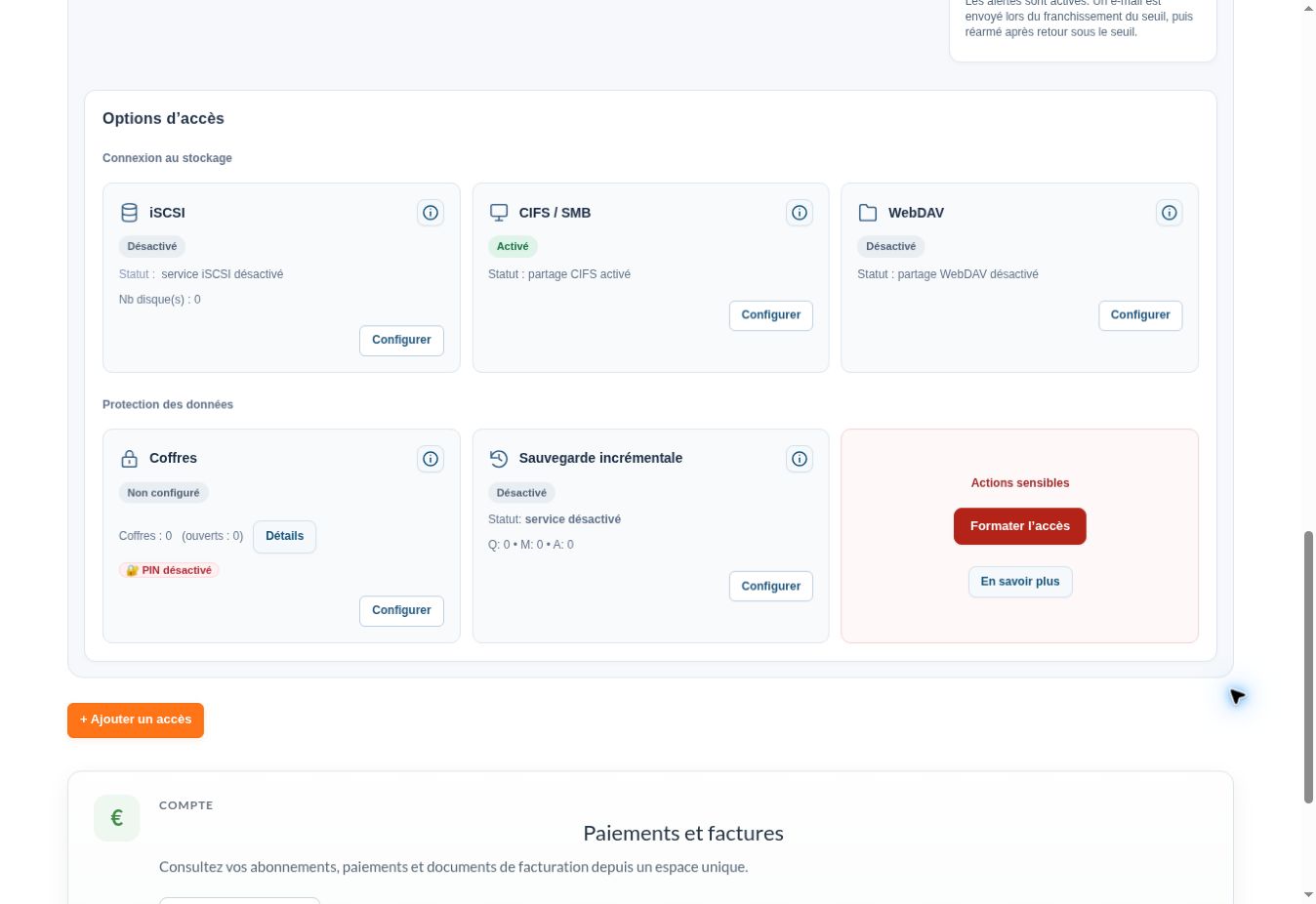
- Open the relevant access and select Full — All options.
- Check the statuses before choosing an action.
- Under Storage connection, choose Configure iSCSI, Configure CIFS / SMB or Configure WebDAV.
- Under Data protection, choose Configure vaults or Configure incremental backup.
- Check the ID at the top of the configuration screen. Use Back to My access to return.
What to expect
The page shows information and actions for the selected option. For a disabled service, it offers activation. For an active service, it shows settings and management controls.
If something looks wrong
Opening a configuration screen does not activate the service. Wait for a pending request to finish before starting another operation. Format access erases data.
Need a hand?
Tell us which storage account or service is affected and what message you see. Our team will help.
Sign in to contact support